As companies grow, operational context becomes fragmented. Revenue is in Stripe or QuickBooks, customers are in HubSpot, conversations happen in Slack or WhatsApp, documents live in Notion or Google Drive, and important decisions often live only in people’s heads. Founders spend too much time rebuilding the same mental picture of their business before they can make decisions. Nomos aims to solve that by becoming an operational intelligence layer. It connects the tools you already use, builds a unified understanding of how your business operates, and helps answer questions like: * What changed this week? * Which customers need attention? * Why did runway change? * What should I focus on today? We’re initially building for founder-led companies, especially those operating across both global tools (Stripe, HubSpot, QuickBooks, Slack) and local infrastructure. I’d really appreciate feedback on: 1. Is this a problem you experience today? 2. What’s the hardest part of understanding what’s happening across your business? 3. If you could ask one question about your company and get an instant answer every morning, what would it be? If this resonates, I’d love to chat and learn how you currently run your business.
The distribution mistakes killing early-stage startups
100 signups, 0 paid ads, here's what actually worked
One thing I've noticed since starting to work on my own product is that I check social media way more than my email. Which feels backwards. A lot of important stuff happens through email. User replies, partnership requests, signups, support messages, random opportunities you weren't expecting. Yet somehow I can refresh X, LinkedIn, and Reddit 20 times a day but forget to open my inbox for hours. I'm also starting to wonder how other founders handle this. Do you keep one email for everything or separate emails for support, partnerships, product updates, and personal stuff? And are people still using Gmail for most of their work, or do you prefer having your own domain email from day one? Part of me likes seeing [myname@company.com](mailto:myname@company.com), but part of me feels Gmail is just easier. Trying to figure out what habits are actually worth building early before things get messy. Would love your point on this.
"The month I tested 20 A/Bs and learned nothing" Most people running Meta ads want to keep control of targeting. I get it. But at a small budget that's usually the wrong thing to be protecting... Here's what happened that changed how I think about it. I had a client, restricted budget, and we were testing hard. 20 A/Bs a month. And we were stuck. Results wouldn't move. At some point I made a call: maybe we're not testing the angle, we're just drowning it. Too many variables, not enough spend behind any of them to ever get clean data. So we did the opposite of what felt right. We tested less. Cut it to about 20% of what we were doing and let Advantage+ take over the rest — let it develop, gather data, do the targeting. Two weeks later we doubled the previous month's results at a lower CPA. Less work. Better results. No brainer. Here's how I actually decide now, by budget: Under $5-10/day per ad set: don't expect to test anything. There's no data down there. If you just need your message in front of the right people, use detailed targeting and take what comes. Bigger, but under ~$3k/month: go Advantage+. Meta is strong enough today to get you real performance, and you don't have the volume to test targeting manually anyway. Spending more, with real funnel levels: now use your own data and custom audiences. Before that, there's a high chance you don't have enough data and it ends up all over the place. And when someone tells me they don't want to give Meta control? Meta wants you to spend money. To do that they trained a machine on billions of dollars of ad spend to limit your testing and find your buyers. On average it gets better results. Yes, sometimes it shows your ad to someone completely off. But it also shows it to people you'd never have targeted — buyers no manual detailed-targeting setup would ever have found. So why not give it a shot? Advantage+ won't test your placements for you. But it'll test your angle. And the angle is the first thing you need to get right before anything else matters. Curious where people land on this — are you still targeting manually, or have you handed it over?
I built an app that puts you anywhere in the world — without leaving your couch. Introducing Frame — AI-powered portrait shoots that look indistinguishable from real photography. Here's the idea: you upload a few selfies, type in a destination (Paris? Tokyo? The Sahara?), and Frame generates a full gallery of studio-quality photos of you — in that location, in natural poses, with DSLR-level aesthetics. No flights. No photographer. No scheduling. Just stunning shots in seconds. What makes it different: Preserves Identity — your face stays perfectly recognizable across every single shot Ready-made prompts — not sure what to type? Browse a curated prompt guide with copy-paste descriptions for iconic spots like Eiffel Tower, Bali Beach, Santorini, Tokyo, and more — just click, copy, paste, done Any location on earth — select or add a landmark, city, or even a specific vibe and it places you there in cinematic detail 20+ natural pose styles — walking, candid, side profile, looking away — no stiff stock-photo energy Studio-grade output — DSLR 85mm aesthetic with tunable lighting, mood, camera angle, and aspect ratio Private by default — your reference photos live only on your account and deleted immediately once photoshoot is generated Own every shot — HD downloads, favorites gallery, full export anytime Who it's for: Creators refreshing their content calendar Founders who need a sharp LinkedIn headshot Brand teams running product shoots on a budget Anyone who wants to "travel" without booking a flight I started this because professional shoots are expensive, slow, and hard to coordinate. A single photoshoot can cost $500+ and take weeks to book. Frame does it for the price of a coffee 5 free shots. No credit card. Ready in seconds. Try it out here: https://frame.yogeshchavan.dev/
I've spent the last several months building PrivacyKit, a GDPR consent management platform. I built it because I became frustrated with how most CMPs stop at collecting consent and leave enforcement and validation to the customer. Most compliance scans I've tested tell you which cookies they found. I want to know which trackers are running, when they're running, and whether they're respecting user consent. So I built PrivacyKit to cover consent collection, consent enforcement, and runtime compliance validation in one platform. The challenge now isn't building the product. It's building trust. I genuinely believe I have something better than most of the alternatives I've looked at. The problem is that being right about the product doesn't make people buy it. What I need most right now is proof. Proof that real websites are using PrivacyKit. Proof that it works in production. Proof that founders trust me enough to put it on their own sites. If you're a founder running your own website, preferably with a real brand and real traffic, I'd love to work with you. In return, you'll get 6 months free using code FOUNDINGCUSTOMER, direct access to me as the developer, and my full attention when it comes to onboarding, support, and feedback. My hope is simple: help a handful of founders improve their GDPR compliance, learn from real-world usage, and earn the references and case studies needed to get this business moving. If that sounds interesting, I'd love to hear from you. https://www.privacykit.eu?promo=FOUNDINGCUSTOMER
Created by your truly for my kid bro ARRESTED After years of investigation, authorities have finally arrested the web designer behind the cleanest websites in the game... The charges: X Making websites load too fast. X Turning outdated sites into ones that actually convert. X Removing every single broken link. Building landing pages people actually want to click. Providing customer service that's almost suspiciously good. #webdesigner #businessowner
goldenweeks Retreats is a 2-week accountability retreat in Zanzibar for ambitious digital nomads, founders and remote professionals who want to make real progress on a specific project - with structure, accountability and a supportive community instead of working alone. We bring together a small curated group (limited spots) for deep work sessions during the day with clear milestones, check-ins and peer support, and slow evenings with beach walks, shared dinners and island exploration. You get reliable internet, comfortable workspaces and the calm tropical energy of the Swahili coast. Each weekday follows a gentle but intentional rhythm: silent deep work sessions, daily goal setting and check-ins, coworking blocks, and accountability circles. Weekends are for island life - dhow trips, local food, and exploring Zanzibar's culture at a slower pace. You arrive with something unfinished - a new offer, a website, a system, a creative project - and leave with tangible progress and a clearer direction. The retreat includes accommodation in a villa by the ocean, breakfast and some shared meals, plus a structured program with a small group of like-minded people. If you're tired of sitting on the same project and know a change of environment is what you need, this is for you. Check out goldenweeks.co for details and how to apply.
We tripled our prices and revenue went up here is what we learned
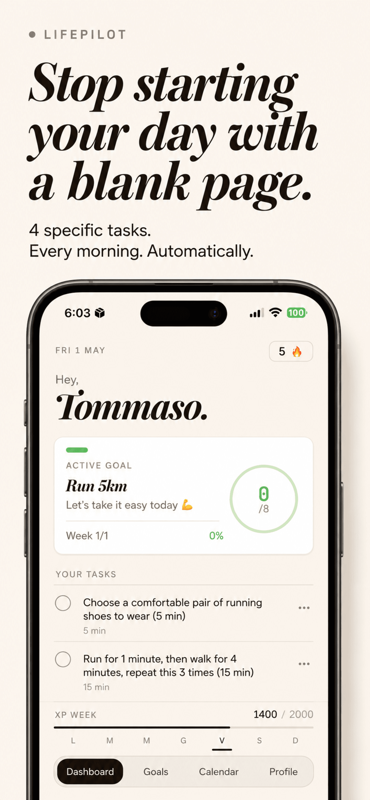
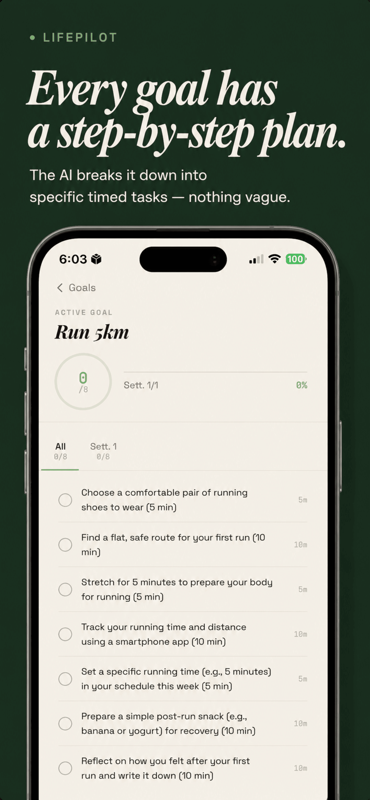
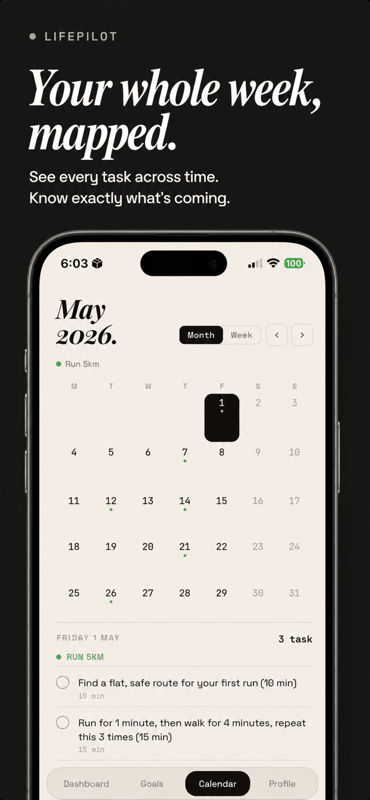
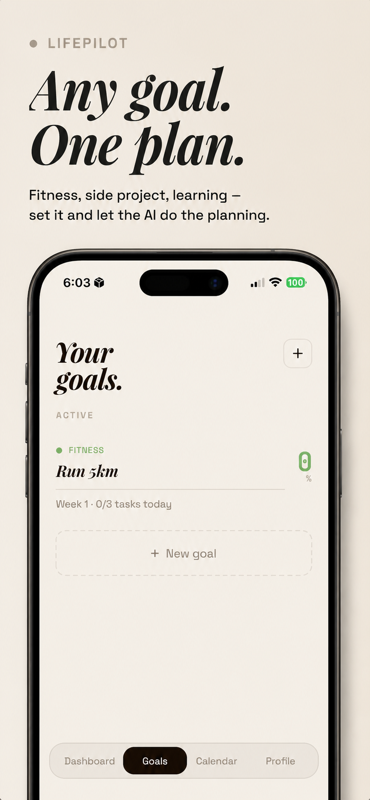
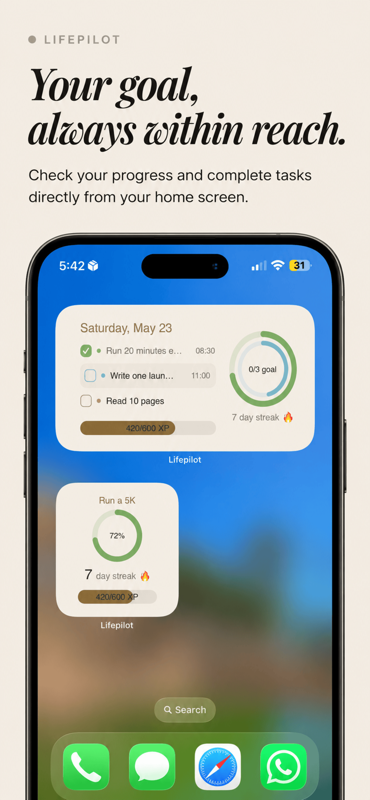
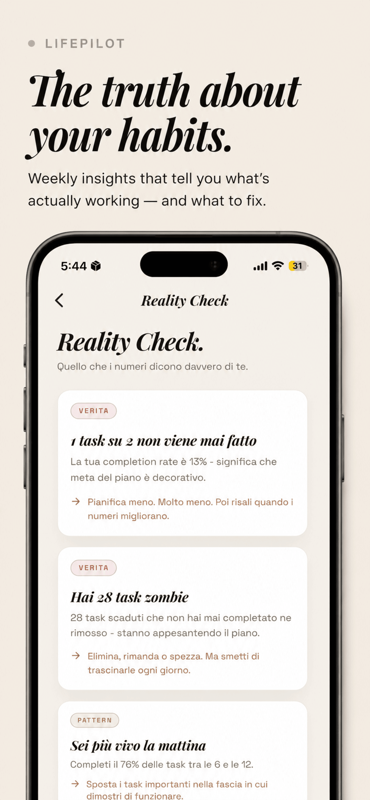
Most productivity apps make you do the thinking. You set the goal, you break it down, you figure out the steps. Then life happens and you abandon it. LifePilot flips this: you tell it your goal, it generates the complete plan — tasks, timeline, structure — adapted to your situation. You just execute. Built for people who know what they want but struggle with the "how to get there" part. What's live: - AI-generated goal plans from a single prompt - Daily task view that adapts as you progress - Monthly recap showing what actually changed (free) + dropout risk and completion trends (Pro) - Push reminders when you go dormant 33 users, no paid subscribers yet. Looking for feedback on: - Does the AI-generated plan feel trustworthy on first use? - What would make you upgrade to Pro? iOS only for now. Free to download, Pro at €4.99/month or €29.99/year.
This is beautiful i recently started creating and experimenting with AI image models and the images attached are my testings lol i nailed it with realistic prompting guys which model performs best share your thought
The cold outreach framework that gets replies without being spammy
(You still use Claude like it's a stranger) Most people "personalize" AI by typing a few preferences into a chat box. That barely scratches your voice. Real process: open Cowork mode, build a dedicated voice folder, run Opus 4.8 with extended thinking on, then dictate (don't type) answers to all 100 interview questions. Push past vague replies, document what you refuse to write about too, your limits define your voice as much as your opinions. One final prompt compresses those 20,000 words into a single 4K token file. Save it under your name. That file now carries the way you think and talk into any Claude session, anywhere. Save it for later Share it to help others
Things you didn’t know you can do with AI (part 229) #learnai #practicalyai #digitalsamaritan #metricoolpartner Btw, you can use “kush30” to snag Metricool pro plan for 30 days free
a async first sementic cache to reduce ai costs with in built low latency verification pipelines built for python engineers/startup available with free and paid plans
The world's most valuable company has changed dramatically over the past few decades. IBM led in 1990, General Electric in 2000, ExxonMobil in 2010, Apple in 2020, and by 2026, Nvidia has reached the top as Al reshapes the global economy. Each leader reflects the defining technology of its era. Mainframe computing powered IBM, industrial and financial strength fueled GE, energy demand lifted ExxonMobil, smartphones transformed Apple, and artificial intelligence has accelerated Nvidia to a market value exceeding $4 trillion. The pattern is clear: leadership doesn't last forever. Every decade rewards companies that anticipate the next technological shift before everyone else. The businesses that define tomorrow are often building the future long before the rest of the world recognizes it. Follow Anchor us for more!
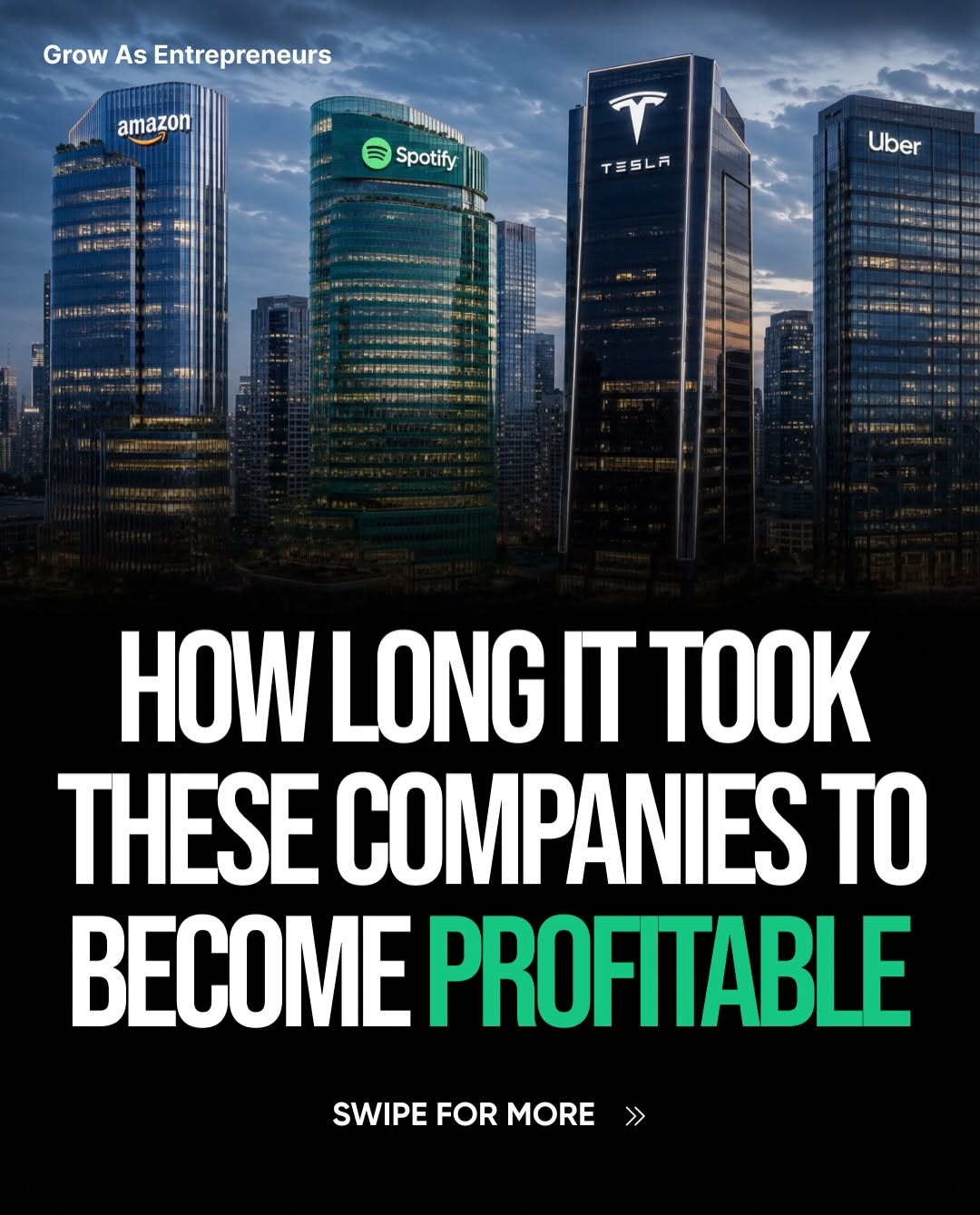
I almost jumped on the Claude Fable hype. For about 24 hours it felt like everyone was talking about it. People were sharing demos, posting threads, showing what they built with it on X, and making it sound like the next thing every founder should be using. Then almost as fast as the hype arrived, the headlines changed. Watching it unfold made me realize how risky it can be to build core parts of a product around something you've only known for a day or two. Maybe I move too slowly, but moments like this make me glad I didn't rush to integrate it into anything important. Now I'm curious about the founders who actually did. Did anyone here use Claude Fable in a real project, even as a test? What did you build with it, and was it actually better than the alternatives or was the hype bigger than the results?
Introducing Noter.ai — AI Meeting Assistant Dashboard UI Kit A modern SaaS dashboard crafted for AI-powered productivity platforms, meeting assistants, automation tools, and collaborative workspace apps. Designed with a clean modern interface, scalable design system, and premium user experience to help startups launch faster & look world-class. ✨ 🔥 What’s Included: ✅ 120+ Premium Screens ✅ Clean & Modern SaaS Dashboard UI ✅ AI Meeting Assistant Flow ✅ Light & Dark Mode ✅ Organized Figma File ✅ Auto Layout & Components ✅ Design System & Tokens ✅ Fully Customizable UI ✅ Modern Cards, Analytics & Workspace Layouts ✅ Built for SaaS, AI & Productivity Products 💡 Perfect For: • AI SaaS Startups • Meeting Assistant Apps • CRM & Productivity Platforms • Team Collaboration Tools • AI Automation Dashboards • Startup MVP Projects Why this UI Kit? Instead of spending weeks designing dashboards from scratch, this kit helps teams: ⚡ Speed up product design ⚡ Maintain design consistency ⚡ Build faster with scalable components ⚡ Impress users with premium UI/UX If you’re building the next AI productivity platform, this kit can save hundreds of design hours. 🚀 🛒 Get it now on UI8: https://ui8.net/flexio/products/ai-agentic-notetaker-dashboard-ui-kits 🎨 Available in New Project 💬 Open for collaboration & freelance projects
The lean stack that keeps me shipping without burning out
Validate before you build - the 2-week sprint that saved me 3 months
Over the past year, I've noticed something interesting about the AI image generation space. Every time a new model is announced, social media fills with screenshots, benchmark comparisons, and opinions within hours. But when I actually want to learn how a new model works, what it can do, or how it compares with existing tools, the information is usually scattered across blog posts, X threads, videos, and documentation. I found myself spending more time searching than creating. That became especially obvious when Meta introduced **Muse Image**. The announcement highlighted improvements in prompt understanding, image editing, multi-reference composition, and creative workflows, but practical information was spread across multiple sources. Instead of bookmarking dozens of pages, I decided to organize everything in one place. Building the project wasn't about launching another AI tool. It was about creating a resource that I personally wanted to use. While working on it, I realized something that probably applies to many founders: sometimes the simplest products solve the biggest frustrations. Rather than trying to compete with image generation models themselves, I focused on helping people understand them. As I collected information, I also started organizing topics that creators actually care about: * What makes Muse Image different? * How should prompts be written? * Which creative workflows are worth testing? * What kinds of projects benefit from reference images? * How might the model fit into existing design workflows? Those questions seemed far more useful than simply listing features. Another thing I learned is that creators don't necessarily need another AI model every month. They need better ways to evaluate new models, compare capabilities, and prepare before adopting them. That's why I built **[Muse Image](https://museimage-ai.net/)** as a focused resource instead of another generic AI directory. The project continues to grow as new information becomes available, and I expect it to evolve alongside the broader AI image ecosystem. Building this also changed the way I think about startup ideas. Not every founder needs to invent groundbreaking technology. Sometimes the opportunity comes from organizing information better, reducing friction, or making complex topics easier to understand. Those improvements may seem small individually, but together they create real value for users. I'm curious how other founders approach this. When a major AI model is announced, do you immediately start building with it, or do you spend time understanding the ecosystem first? I'd love to hear how other builders decide when a new technology is actually ready to become part of their workflow.
When I first started building, I thought I'd need a perfect system for everything. The perfect task manager. The perfect morning routine. The perfect folder structure. The perfect productivity setup. I spent way more time thinking about how I was going to work than actually working. Now I'm realizing a lot of things I thought were important barely move the needle at all. Some days the only thing that really matters is shipping something, replying to users, and showing up again tomorrow. I'm curious if anyone else has had the same experience. What's one founder habit, tool, routine, or piece of advice you thought would matter a lot but ended up making almost no difference?
POV: Me as a founder at 2:00 AM. I open my laptop to "fix one small bug." Thirty minutes later I'm vibe coding an entirely new product, convinced it's the next multi-million dollar startup. 😂 By morning, I'm looking at the code wondering, "Which sleep-deprived genius wrote this?" ☕💻
So I just joined X and am trying to get familiar with some X Influencer So this is me following many account with some good influence but I first take screenshot so incase I procrastinate I will always catch later
They specifically requested internal flow first to be picked up; something real critical was the share modal. Their users were inviting teammates to the platform. But the invite flow was so broken, 40% of invites never landed. The original: → manually type full email (no autocomplete) → typo? invitation goes nowhere. no error. → pick from 5 role options nobody understood → no way to know who already has access They were losing signups to a SHARE BUTTON. Here's what we shipped in 4 hours: 1/ autocomplete on email input → 3 letters in, match appears, one tap → typo rate dropped to zero 2/ roles simplified to 3: editor, commenter, viewer → nobody needs "super-admin" on an invite modal 3/ visible access list with clear labels → "who can see this?" answered instantly → no settings page. no second screen. One modal. One input. One action. The $8K wasn't for rebuilding the product. It was for making the product people already built actually usable. Most MVPs don't have a feature problem. They have a flow problem. We fix those. In days, not months.
Started with just an idea, turned it into a moodboard, generated visuals, shaped the design, and pushed it live. Crazy how fast you can go from concept → launch with the right tools now.
Creating your own large language model sounds like a great way to avoid expensive API fees, until you discover how costly and complex the process really is. Training and maintaining an Al model requires enormous amounts of data, computing power, and expertise.
Compare Founders Today to Other Communities
See how we stack up against the platforms founders already know.